Online booking
Give clients a simple way to request service without forcing every request through phone calls or scattered messages.
 ChroifyEspañolLog inGet access
Chroify helps small service businesses manage booking requests, calendars, worker assignments, client records, receipts, reviews, support, and follow-up from one connected workflow.
Texts, phone calls, spreadsheets, and separate calendars can work at the beginning. The problem appears when the owner needs one answer: who booked, who is assigned, what is complete, what receipt was sent, and what the client needs next.
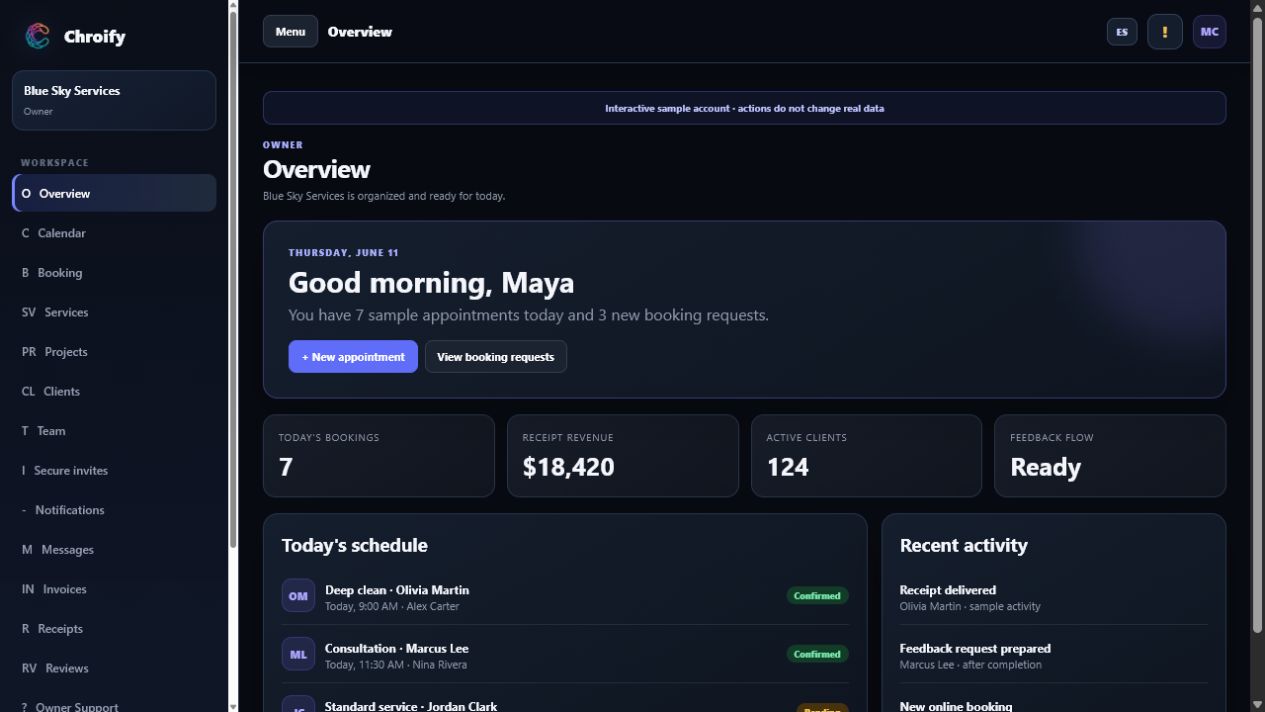
The strongest scheduling workflow is not just a calendar. It connects the entire service path from request to follow-up.
Give clients a simple way to request service without forcing every request through phone calls or scattered messages.
Let the owner review appointment details, choose a date and time, and keep the schedule visible.
Assign each appointment to the owner or a team member so the right person sees the job.
Give clients a place to see appointments, receipts, messages, support, and review options.
Connect completed jobs to receipts, booking-again links, support, and feedback requests.
Support English and Spanish experiences for teams and customers who need clearer communication.
Useful for cleaners who need recurring clients, job notes, worker assignments, receipts, and reviews connected.
Useful for service teams that need appointment requests, technician schedules, customer records, receipts, and support.
Useful for route-based or seasonal teams coordinating clients, dates, workers, and follow-up.
Useful for appointment-based professionals who need bookings, calendar control, receipts, and client communication.
Look for a booking link or public request flow that captures the information the owner needs before scheduling.
Many service businesses need owner control instead of fully automatic scheduling, especially when travel, crew availability, and job size matter.
Worker visibility matters because it reduces repeated messages and gives the team a clearer day.
Receipts, reviews, support, and booking-again links keep the customer relationship connected after the service is done.
Chroify gives service-business owners a web workspace for online booking, visual calendars, worker assignments, client profiles, client portals, receipts, reviews, support messages, and bilingual English-Spanish workflows. It is built for small service teams that need a cleaner operating system without pretending to be enterprise field-service software.
Use Chroify to connect service requests, calendars, workers, clients, receipts, reviews, and support.