Collect service-call details
Clients can request service through a booking link, or owners can add appointments directly when requests come by phone or message.
 Chroify
Español
Log in
Get access
Chroify
Español
Log in
Get access
Chroify helps HVAC owners organize routine service requests, appointment booking, technician schedules, client records, receipts, reviews, and follow-up in one web workspace.
HVAC scheduling software helps service teams organize customer requests, appointment dates, technician assignments, service notes, client communication, receipts, and follow-up. Chroify is designed for routine service-business scheduling, not emergency dispatch.
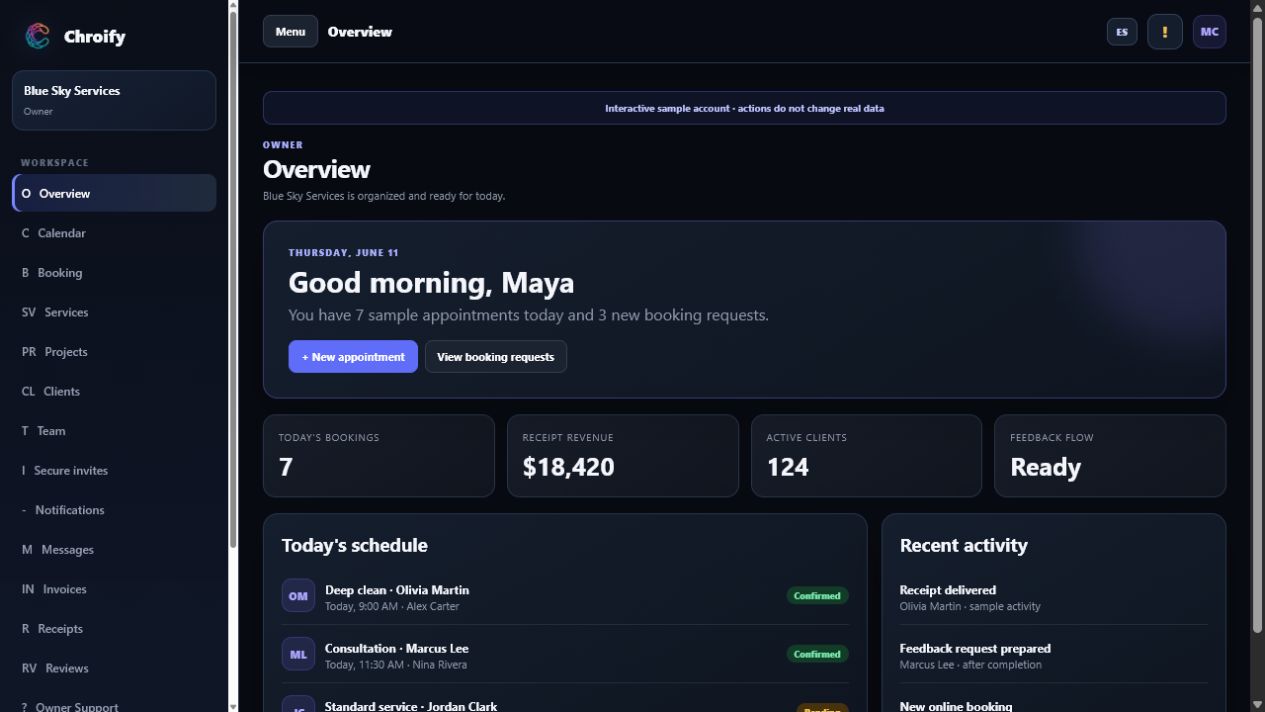
HVAC work often needs customer contact details, appointment windows, technician availability, service notes, and after-service records. Chroify keeps that workflow easier to see from the owner dashboard.
Clients can request service through a booking link, or owners can add appointments directly when requests come by phone or message.
Owners can review the visual schedule and assign jobs to themselves or technicians without rebuilding the appointment.
After routine service, receipts, reviews, support, and future booking stay connected to the client relationship.
A useful HVAC schedule needs more than an open time slot. Owners need the service address, customer contact, reason for the visit, technician assignment, and whether the appointment is requested, confirmed, in progress, or complete.
Use the booking page for routine maintenance, consultations, and planned follow-up. Keep emergency calls in the business's established safety and dispatch process so urgent work is never mistaken for a normal web request.
Set working days, hours, blocked dates, time windows, appointment buffers, and daily booking limits. Chroify validates customer requests against those rules and prevents an active worker from holding the same date and time twice.
An invited technician can review assigned work from a phone-friendly dashboard. Owners can also keep scheduling-only workers who do not need an account, then invite them later if dashboard access becomes useful.
A customer requests AC maintenance and enters the service address. Chroify checks the selected date and time against the business's availability rules. The owner reviews the request, assigns an available technician, and keeps the appointment visible in the owner and worker schedules. After completion, the receipt and eligible review stay connected to the client record.
The customer submits a request or the owner adds the job after a phone call, message, or existing client conversation.
The owner checks the calendar and chooses the date, time, and technician for the service appointment.
Invited workers can see assigned jobs in their dashboard while the owner keeps client records and follow-up organized.
Organize tune-ups, seasonal service, and repeat customer appointments from one schedule.
Book consultation windows, assign a technician or owner, and keep client notes connected.
Schedule return visits, send receipts, and keep support history tied to the client record.
Chroify is general service-business scheduling software. HVAC companies should keep appropriate emergency, safety, compliance, and dispatch procedures for urgent or safety-critical work.
It organizes customer requests, technician assignments, appointment schedules, service notes, client records, receipts, reviews, and follow-up.
Yes. Owners can review the calendar and assign appointments to themselves or technicians.
Yes. The booking workflow can collect a service address and keep it with the client and appointment context for the owner and assigned worker.
Availability rules screen public requests, and active appointments cannot use the same worker, date, and time. Owners should still review travel time, job length, and emergency priorities before confirming work.
No. Chroify is general service-business scheduling software and should not be the sole system for emergency, life-safety, or safety-critical HVAC work.
Yes. Chroify connects bookings, calendars, workers, clients, receipts, reviews, and follow-up for service businesses.
Start with Chroify Essential for online booking, visual calendars, technician assignment, clients, receipts, reviews, and support.